ActiveCampaign: pricing, pros, cons and alternatives 2026

ActiveCampaign is a CRM and marketing automation platform focused on email marketing, contact management, lead nurturing, and sales automation. It helps businesses capture, segment, and move prospects through the funnel using rules, events, and personalized campaigns. If you are looking for a direct answer to what ActiveCampaign is, this is it: it is built for companies that want to sell more with automated processes and less manual work.
- What ActiveCampaign is
- How ActiveCampaign works
- Main ActiveCampaign features
- ActiveCampaign pricing 2026
- ActiveCampaign pros and cons
- Alternatives to ActiveCampaign
- Who ActiveCampaign is for and who it is NOT for
- TeideSEO final opinion and rating
- Frequently asked questions
- Conclusion
What ActiveCampaign is
ActiveCampaign sits in the CRM and marketing automation category, but calling it just an email tool would be too narrow. What it really does is combine contact data, user behavior, automated sequences, sales opportunities, and part of the commercial follow-up process. In practice, companies use it to send more relevant messages and trigger actions when someone opens an email, visits a page, fills out a form, buys, or stops engaging. That mix is the main reason it appears so often in searches around pricing, reviews, tutorials, and alternatives.
Who is it for? We mostly see it fit growing small and mid-sized businesses, ecommerce brands, B2B companies, training businesses, agencies, and service firms that already generate leads and need to organize them better. It also works well for sales teams that want to stop relying on spreadsheets, manual reminders, and disconnected systems. The problem it solves is not simply sending emails. It turns a messy database into a system with segmentation, lead scoring, and automation logic.
From an agency perspective, ActiveCampaign fills a useful middle ground. It is not as lightweight as tools built almost entirely for newsletters, but it also does not force companies into a much larger and more expensive software ecosystem from day one. That is why it can be a strong option for businesses that care about acquisition, nurturing, and conversion before moving into more complex enterprise stacks.
How ActiveCampaign works
ActiveCampaign works by using a centralized contact database that keeps track of attributes, events, and actions. Every lead or customer can enter through a form, website integration, CSV import, online store, API, or sync from another application. From there, the system stores standard and custom fields, tags, email history, website activity, automation membership, and sales pipeline status. That unified record is what allows marketing and sales to work from the same source instead of using disconnected lists and duplicate workflows.
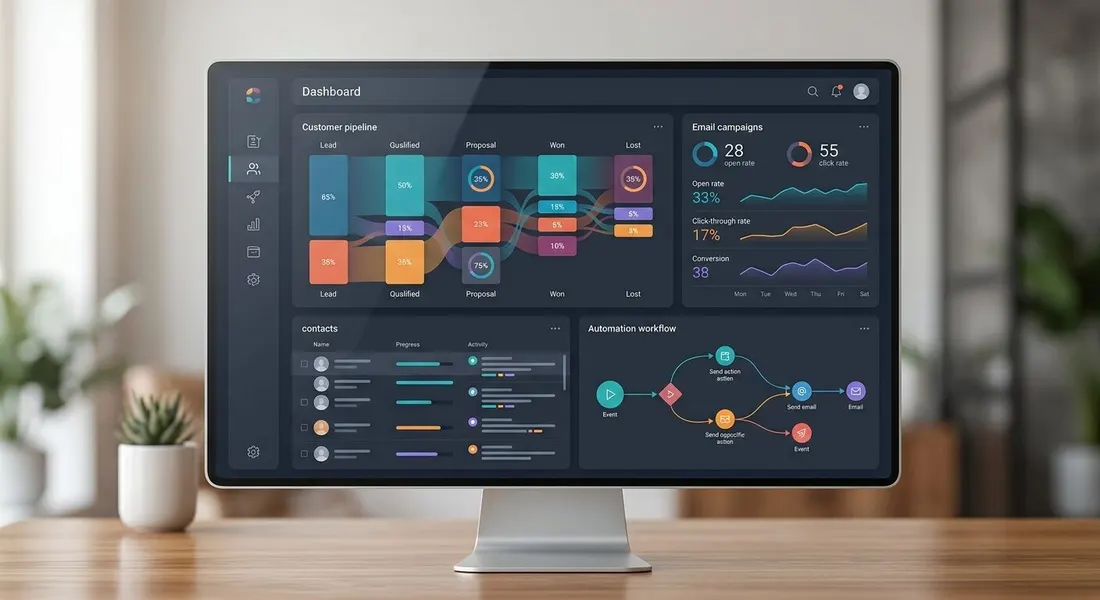
The most valuable layer is the automation engine. Users build visual workflows using triggers and conditions like “if X happens, do Y.” For example, if a user downloads a lead magnet, they are added to a list. If they open the first email, they receive a follow-up with a different angle. If they visit the pricing page and their score crosses a threshold, a deal or task can be created for sales. If they do not engage for 30 days, they can enter a re-engagement sequence. Under the hood, this depends on conditional logic, dynamic segmentation, and event tracking across forms, emails, the website, and external integrations.
It also works as a light-to-midweight CRM depending on your setup. You can create deals, stages, owners, notes, tasks, and automations tied to changes in the pipeline. This means the sales team gets useful signals without manually reviewing all contact activity. If a lead opens multiple emails, revisits the website several times, and replies to a campaign, the system can classify that person as warmer and move them to the next stage. For consultative sales teams, that connection between behavior, scoring, and pipeline saves significant time.
In daily use, the typical workflow looks like this: capture a contact, tag or classify them, send a sequence, measure engagement, update their score, route them to sales if they meet the threshold, and trigger retention or upsell automations once they become customers. Technically, ActiveCampaign depends heavily on integrations with CMS platforms, ecommerce systems, form builders, payment tools, and third-party apps for data exchange. It does not work by magic. If your segmentation is poor or your automation logic is messy, you will only automate mistakes faster.
Another important point is measurement. ActiveCampaign tracks opens, clicks, replies, automation entry, goal completion, conversions, and contact activity inside the platform. That traceability helps teams make practical decisions such as pausing underperforming emails, splitting sequences, cleaning lists, or identifying bottlenecks between marketing and sales. It does not replace advanced web analytics or BI tools, but it gives enough visibility to improve nurturing, onboarding, and retention programs. That is why any serious tutorial should start with data structure and business goals, not with visual email design.
Main ActiveCampaign features
Visual automations with conditional logic
The strongest part of ActiveCampaign is its automation builder. This is not just about scheduling a welcome sequence. It allows teams to create different paths based on what each lead actually does: which email they opened, whether they clicked, what page they visited, whether they submitted a high-intent form, or whether they stopped engaging. That makes messaging much closer to real buyer intent instead of pushing everyone through the same journey.
A practical example would be a private clinic separating general inquiries, quote requests, and booked consultations automatically. Each type of lead gets a different sequence, timing, and objective. In our view, this is the line between using ActiveCampaign like a basic email tool and using it as a commercial automation engine. The downside is that it requires well-designed logic to avoid confusion, duplication, and poor branch management.
Integrated CRM with pipelines and tasks
ActiveCampaign includes a CRM that, while not enterprise-grade in every area, solves many sales process needs for smaller and mid-sized businesses. You can create pipelines, assign opportunities automatically, add notes, move deals, and trigger actions when a deal changes stage. This reduces friction between marketing and sales and helps sales teams work with context instead of isolated lead lists.
The practical strength comes from the connection between activity and pipeline movement. If a lead fills out a high-intent form, a deal can be created and assigned automatically. If that lead goes quiet, reminders or recovery sequences can be triggered without manual effort. It is not the deepest CRM on the market, but for many teams the built-in connection between email, automation, and sales workflow is extremely efficient.
Advanced segmentation and lead scoring
Basic list segmentation is no longer enough, and this is one area where ActiveCampaign performs well. Users can segment by tags, custom fields, campaign behavior, website activity, events, and combinations of conditions. That creates live segments instead of static lists that go out of date quickly. Lead scoring also helps teams prioritize contacts based on likelihood to convert or level of intent shown through behavior.
This is especially useful for B2B and service businesses with a medium or long buying cycle. A lead who opened several emails and visited an informational page is not equal to another one who revisited pricing, replied to an email, and booked a demo. If both are treated the same way, efficiency drops. With ActiveCampaign, you can score those actions and trigger handoff to sales once a threshold is reached. The tradeoff is that poorly designed scoring models create false positives and wasted sales time.
Email marketing and dynamic personalization
The platform supports one-off campaigns, automated sequences, and follow-up emails with a good level of personalization. You can use variables, conditional content blocks, and different messaging depending on fields or tags attached to the contact. In practical terms, this allows you to adjust messaging, offers, and calls to action based on the user profile and previous behavior. That is more meaningful than just inserting a first name in the subject line.
We see better results when this is paired with a clean database and a clear offer. A training company can show different courses based on previous form selections or clicks. An online store can automate post-purchase recommendations instead of sending generic broadcasts. The editor is functional, though not the most elegant in the market. If your top priority is a highly polished visual email builder, some competitors feel easier to use.
Integrations and connected data flow
Another key strength is how well ActiveCampaign connects with other tools. It commonly integrates with CMS platforms, ecommerce systems, forms, calendars, payment apps, course platforms, analytics tools, and automation services like Zapier or Make. That increases its value because the data does not stay isolated. The more reliable information the system receives, the better your automations can become.
The practical effect is visible in complete workflows. A lead arrives through a campaign, fills out a form, gets tagged, receives a sequence, books a call, and is assigned a sales status without anyone touching the process manually. That kind of setup reduces operational errors and speeds up the team. The weak point appears when implementations become too dependent on multiple poorly mapped integrations. In that case, the system gets hard to troubleshoot.
Operational reporting for marketing and sales
ActiveCampaign provides reporting for campaigns, automations, opens, clicks, sequence performance, contact activity, and deal progress. We would not rank it as a true advanced analytics platform, but it is more than enough for operational optimization. What matters is that it helps teams identify which automations push people toward conversion and which ones simply add noise.
In real use, this is useful for reviewing whether a welcome flow converts, whether a re-engagement sequence recovers inactive subscribers, or whether a segment is getting too many touches. Many teams underuse this area and focus only on open rates. That is a mistake. The value comes from connecting interaction, business objectives, and pipeline movement instead of reading vanity metrics in isolation.
ActiveCampaign pricing 2026
ActiveCampaign pricing depends heavily on contact count, billing cycle, and whether you need CRM and advanced automation features. The main issue with many comparison articles is that they focus on the entry-level price and ignore the real cost once the database grows or extra features become necessary. We recommend looking at the price at 1,000, 5,000, and 10,000 contacts before making a decision. That is where long-term affordability becomes clear.
It is also important to address the question of a free version. As of our verification date, ActiveCampaign does not typically offer a permanent free plan similar to freemium competitors. You may find a time-limited free trial or demo, but not a stable no-cost tier for ongoing use. That changes who it is best for. If you want to start with zero budget, another option may fit better.

| Plan | Price/month | Includes | Best for |
|---|---|---|---|
| Starter | From $15/month | Basic email marketing, forms, entry-level automations, simple segmentation | Solo operators and small businesses starting with lead capture and newsletters |
| Plus | From $49/month | More advanced automations, CRM, lead scoring, broader integrations | Small and medium businesses aligning marketing and sales |
| Pro | From $79/month | Attribution, more advanced reporting, expanded personalization, optimization features | Marketing teams with mature processes and larger lead volume |
| Enterprise | From $145/month | Priority support, advanced controls, permissions, scalability and governance | Companies with complex operations, multiple users, or stricter admin needs |
Prices verified in May 2026. They may change.
The Starter plan makes sense if your main goal is to centralize contacts and launch simple automations such as welcome series, lead capture sequences, and basic follow-ups. However, it becomes limiting once you need stronger sales coordination or a serious scoring model. For very small businesses it may be enough at first, but most growing teams will feel the ceiling relatively quickly.
Plus is where we think ActiveCampaign starts delivering its full practical value. This is the level where CRM, scoring, and more mature automation come into play. It is the plan we most often consider when a business wants to move beyond simple email software. The risk is paying for it before your process is clearly defined, which leads to underused features and unnecessary software cost.
Pro is better suited to organizations with a more advanced operating model. Attribution, deeper reporting, and finer personalization only make sense when there are active campaigns, multiple acquisition channels, and a clear need for optimization. If your funnel is still being defined, this may be overkill. For ecommerce or B2B companies running more complex automation programs, it can be a justified upgrade.
Enterprise is not the right fit for most small businesses. The value here is support, controls, user management, and governance for larger or more sensitive operations. We only recommend it when the platform becomes deeply tied to revenue operations or when misalignment between teams has a meaningful cost. Otherwise, most businesses can stop well before this tier.
ActiveCampaign pros and cons
- Highly flexible automation for real funnels. ActiveCampaign allows much more sophisticated sequences than most newsletter-first tools. That helps businesses adapt messaging to actual lead stage and reduce manual work. When the flow is built properly, the efficiency gain is significant.
- Strong connection between CRM, email, and lead scoring. You do not need three separate tools to capture, nurture, and move opportunities. This integration reduces friction and gives sales teams better context. For SMBs and mid-sized teams, that is a practical advantage.
- Behavior-based segmentation is genuinely useful. You can decide not only who receives an email, but why, when, and with what content. That improves response quality and reduces irrelevant mass messaging. In higher-value sales environments, this matters a lot.
- Wide integration ecosystem. ActiveCampaign connects with many common marketing and sales tools. That makes it easier to feed forms, ecommerce systems, calendars, and third-party automations into one operating setup. The less manual work required, the fewer operational errors you carry.
- It scales better than basic email software. A company can start with simple sequences and gradually build a more sophisticated system without migrating immediately. That gives room for process maturity. Not every entry-level platform offers that path.
- There is a real learning curve. We would not recommend ActiveCampaign to teams that want fast results without spending time on logic, tagging, scoring, and automation structure. It is easy to build confusing or redundant workflows. Without strong process thinking, the platform becomes harder to maintain than expected.
- Costs rise with contacts and with the features that actually matter. The front-page price may look manageable, but costs increase when your database grows or when you need higher-tier plans. Many businesses only realize this several months later. That is why future pricing matters more than the entry plan.
- The interface is not the easiest for beginners. While it improves with familiarity, some sections are less intuitive than competitors that focus more on simplicity. For non-technical teams or users new to CRM workflows, adoption can slow down. Initial friction is real.
- It is not ideal if all you want is simple newsletters. If your use case is limited to occasional campaigns to a small list, paying for and learning ActiveCampaign is often too much. There are cheaper and simpler tools for that. Overbuying software at the start is a common mistake.
Alternatives to ActiveCampaign
Looking for ActiveCampaign alternatives makes sense when budget is tight, when you need a broader CRM stack, or when your use case is much simpler than a multistep automation system. There is no single best alternative for every company. The right choice depends on whether you care most about email, sales, ecosystem depth, ease of use, or long-term cost.
| Tool | Starting price | Best for | Our rating |
|---|---|---|---|
| HubSpot | From $20/month in basic hubs; much more for full suites | Companies wanting CRM, marketing, and sales in one larger ecosystem | 8.7/10 |
| Mailchimp | From $13/month | Businesses prioritizing simple email marketing and quick setup | 7.3/10 |
| Brevo | From €19/month | SMBs looking for lower costs and basic multichannel campaigns | 7.8/10 |
| GetResponse | From €16/month | Companies combining email, automation, and landing-page driven lead capture | 7.6/10 |
| Klaviyo | From $20/month | Ecommerce brands focused on purchase-behavior automation | 8.2/10 |
HubSpot is the main alternative when a business wants something broader than email and automation. Its advantage is ecosystem depth: CRM, marketing, sales, service, and reporting inside one coherent stack. The downside is cost, which can grow quickly when advanced functions and larger teams are involved. Compared with ActiveCampaign, we recommend HubSpot when CRM is the center of the project rather than an extension of marketing.
Mailchimp remains a common choice for smaller businesses and teams that want simplicity first. Setup is usually faster and easier to learn. However, once automation and segmentation become core to performance, it falls behind ActiveCampaign. We see it as a better match for newsletters, promotions, and lighter operations. If the goal is a serious nurturing system, ActiveCampaign is ahead by a meaningful margin.
Brevo is a solid option for SMBs that need better cost control and reasonable multichannel communication. It often stands out for combining email, SMS, and basic automation in a more budget-friendly package. In exchange, it does not go as deep in advanced automation logic or sales coordination. We recommend it when cost-efficiency matters more than sophisticated scoring and branching workflows.
GetResponse sits in a comfortable middle ground for training businesses, info-product sellers, and companies using landing pages heavily in acquisition. It combines automation, email, and conversion tools in a way that can simplify the stack. Against ActiveCampaign, it can feel more approachable for some teams but less refined in CRM and sales workflow. If you are running direct-response funnels, it deserves a look.
Klaviyo competes especially well in ecommerce. Its strength is using purchase data, transactional behavior, and revenue-driven personalization. For stores that depend heavily on email and SMS after purchase, it may even fit better than ActiveCampaign. Outside ecommerce, that advantage becomes less relevant. That is why we would not place it ahead of ActiveCampaign for service businesses or most B2B setups.
Who ActiveCampaign is for and who it is NOT for
Making the right call here prevents many bad software purchases. ActiveCampaign does not fail because it is a poor product. It fails when businesses adopt it before they need that level of automation or before they have the internal capacity to maintain it. Before paying for it, companies should be honest about their stage, lead volume, and actual process complexity.
Who ActiveCampaign is for:
- Growing SMBs that already generate leads consistently and want to nurture them more effectively.
- B2B and service businesses with multi-step sales cycles and a real need for lead scoring.
- Ecommerce brands that need automation beyond simple newsletters, especially for onboarding, recovery, and retention.
- Teams that want marketing and sales working from the same operational database.
Who ActiveCampaign is NOT for:
- Very small businesses sending occasional newsletters without an automation strategy.
- Teams with no time to configure, review, and maintain workflows, segments, and scoring logic.
- Companies needing a deeply advanced enterprise CRM and stricter governance from day one.
- Projects with a minimal budget looking for a truly free or low-maintenance option.
TeideSEO final opinion and rating

At TeideSEO, we have reviewed ActiveCampaign for client projects and internal use. Our view is fairly direct: we recommend it when there is a real need for automation, segmentation, and coordination between acquisition and sales. We do not recommend it when a business only wants to send occasional campaigns or still has no clear funnel structure. In those cases, the learning curve and the cost tend to outweigh the benefit.
What we value most is its ability to turn a messy database into a commercially useful system. You can score leads, trigger sequences, move opportunities, and personalize messaging with solid precision. That matters a lot in businesses where each lead has meaningful value and should not be treated in exactly the same way. We also like that it leaves room to grow without forcing a rapid migration.
What we like less is that the platform requires method and maintenance. If the team does not document processes and review automations regularly, the setup becomes complicated quickly. Pricing also stops feeling inexpensive once contact volume grows or when the business needs a mid- or higher-tier plan. We would not present it as an automatic buy for everyone. Our score: 8.1/10 — excellent for automation and segmentation, but it demands more structure, time, and budget than simpler tools.
Frequently asked questions
Is ActiveCampaign worth it?
It depends on how you plan to use it. If your company already captures leads, sends emails regularly, and needs to automate follow-up, ActiveCampaign is often worth it. In those situations, the time savings and conversion improvements can justify the monthly fee. If you only want to send occasional newsletters, we do not think it is the best value.
Team maturity also matters. ActiveCampaign performs much better when someone owns segmentation, scoring, and automation logic. If nobody is going to maintain the system, the value drops quickly. We only recommend it when there is a real process that benefits from automation.
Does ActiveCampaign have a free plan?
It usually does not offer a permanent free plan comparable to freemium competitors. What you are more likely to find is a free trial for a limited period or a product demo. That means a truly ongoing free version is not the standard expectation. Businesses should check current terms because offers can change by region and over time.
This matters especially for solo founders and small companies with very limited budgets. If you need to operate for months without paying, there are better options to start with. ActiveCampaign fits better once the email and automation channel is already somewhat validated. For low-risk experimentation, it is not the easiest choice.
How much does ActiveCampaign cost?
The cost depends on plan level and number of contacts. Entry plans may seem affordable, but the total rises as your list grows and as you unlock CRM, scoring, and more advanced automation. That is why quoting only the lowest sticker price is misleading. The right way to evaluate it is to model your actual business scenario over the next 6 to 12 months.
We suggest checking three numbers before buying: the starting cost, the expected cost at your projected contact volume, and the cost of the plan you really need to work effectively. Many businesses begin on a low tier and realize quickly that they need a higher one. That changes the ROI calculation considerably.
Is ActiveCampaign available in Spanish?
Yes, ActiveCampaign is usable in Spanish for most day-to-day work. The interface and much of the user experience are localized enough for Spanish-speaking teams. That said, some documentation, advanced resources, or support materials may still be stronger in English. For most companies, this is manageable rather than a major limitation.
In practice, a Spanish-speaking SMB can work in the platform without major obstacles. The main friction appears in more advanced configurations or when searching for very specific tutorials. In those cases, being comfortable with English can help. If not, outside support or implementation guidance can save time.
ActiveCampaign vs HubSpot: which is better?
There is no universal winner because the better option depends on the job to be done. ActiveCampaign usually wins when the main priority is marketing automation, lead nurturing, and a more controlled cost-to-feature balance. HubSpot wins when the project needs a broader CRM environment, deeper cross-team processes, and a larger ecosystem connecting marketing, sales, and service. Budget also changes the answer significantly.
For an SMB that wants better email, scoring, and sales follow-up without moving into a more expensive suite, we would often choose ActiveCampaign first. For a company that wants to centralize more departments and build broader operational processes, HubSpot often makes more sense. The key is choosing based on process, not brand familiarity.
Is there a good ActiveCampaign tutorial for beginners?
Yes, but the best tutorial is not the one that starts with email design. The right starting point is data structure and business goals. Teams should define fields, tags, acquisition sources, segments, and funnel stages first. Only after that should they build automations with simple and measurable logic.
For a strong setup, we usually recommend starting with just three automations: welcome, sales follow-up, and re-engagement. That is enough to validate whether contacts are entering the system correctly and moving through it as expected. After that, scoring, branching, and deeper personalization can be added with less risk. Trying to automate everything too early is one of the most common mistakes.
Conclusion
ActiveCampaign is a strong choice for businesses that need real automation, precise segmentation, and tighter alignment between marketing and sales, but it is not the right purchase for teams that only want basic email sends. If your company already generates leads and wants to convert that database more effectively, it deserves serious consideration; if not, simpler and cheaper alternatives may fit better.