Everything About Hotjar: Updated Guide 2026


Hotjar is a behavior analytics and user insight tool that helps you understand how people actually use a website through heatmaps, session recordings, surveys, and feedback widgets. It is designed to uncover usability issues, conversion friction, and drop-off points that pure quantitative analytics tools often miss. If you want to know what users do and why they struggle, Hotjar sits in that gap.
- What Hotjar is
- How Hotjar works
- Key Hotjar features
- Hotjar pricing 2026
- Hotjar pros and cons
- Hotjar alternatives
- Who Hotjar is for — and who it is not for
- TeideSEO final opinion and rating
- Hotjar FAQ
- Conclusion and next step
What Hotjar is
If someone asks what Hotjar is, the short answer is this: a qualitative analytics platform focused on user behavior. Instead of only telling you how many sessions, events, or conversions happened, Hotjar helps explain why people fail to click where expected, why they abandon forms, or why they never reach the main call to action. That distinction matters because many UX and CRO decisions go wrong when they rely only on aggregated metrics.
Hotjar belongs to the analytics and data category, but with a very specific angle: behavior observation and lightweight user research. It does not replace a full web analytics suite for attribution, financial reporting, or detailed channel modeling. Its role is to add visual and behavioral context on top of your numbers. That is why it usually lives alongside GA4, Search Console, CRMs, and testing tools rather than replacing them.
At TeideSEO, we find Hotjar especially useful for ecommerce, lead generation websites, SaaS products, media sites, and corporate websites that need to understand why a landing page underperforms. It is also strong during redesigns, migrations, form optimization, and service page reviews. If you work with a strategic search growth model such as SEO and strategic intelligence, Hotjar becomes a qualitative evidence layer that helps validate intent, UX, and friction hypotheses on pages already getting organic traffic.
In practical terms, Hotjar is for teams that need more than numbers. If a landing page gets traffic but converts poorly, the key question is not just how many users arrive, but what they do next. That is where Hotjar stands out because it turns anonymous user behavior into visible patterns. It does not perform miracles, but it does shorten the gap between data and action.
How Hotjar works
Hotjar works through a tracking script installed on your site, either via a tag manager or directly in the source code. That script collects browser-level behavioral events and turns them into heatmaps, session recordings, feedback widgets, surveys, and related behavior insights. It is not literally filming the user’s screen. Instead, it reconstructs the browsing journey based on clicks, scroll depth, page changes, and form interactions. The real workflow begins when you decide which pages, segments, or actions matter, continues with sample collection, and ends with identifying recurring patterns worth acting on.
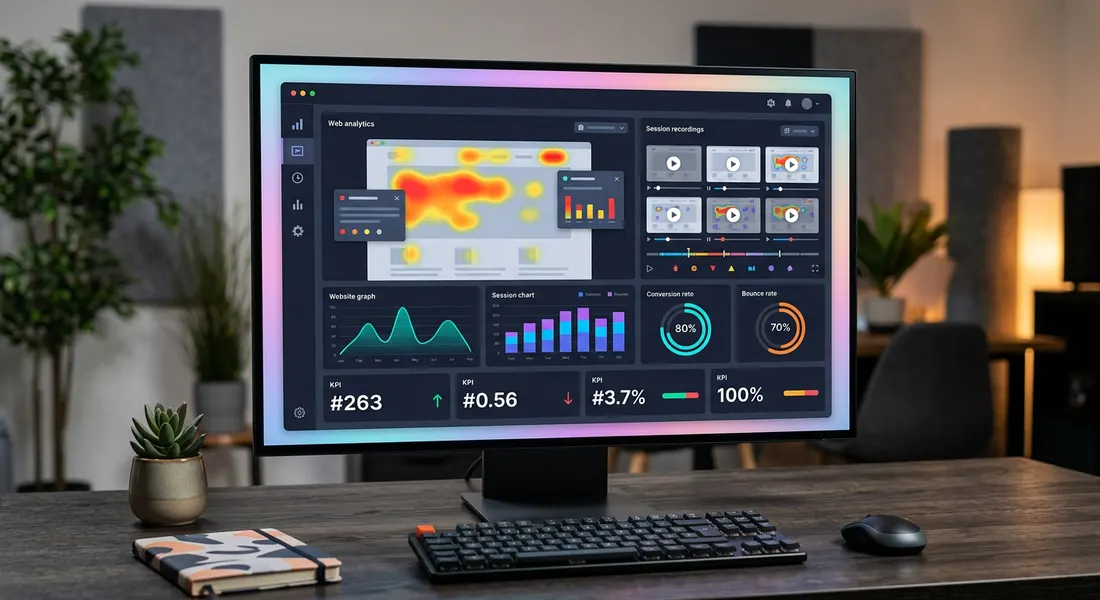
Technically, Hotjar captures page structure and browser interaction data to generate a replay of the session. That replay is a reconstruction, not a video recording. This matters because many users assume Hotjar “records the screen,” when in reality it rebuilds the interaction path using the page structure and user actions. The tool also includes masking and exclusion options to help reduce the risk of exposing sensitive data, though these settings must be configured carefully on sites with forms, restricted areas, or compliance-heavy environments.
For heatmaps, Hotjar aggregates interaction data from many users across the same URL or page template. It then visualizes where users click, tap, or scroll the most. This helps identify whether people ever reach your value proposition, whether they ignore key sections, or whether they click on elements that look interactive but are not. Heatmaps are not an exact measure of intent, but they are a highly practical signal for reviewing hierarchy, layout, and content length.
Session recordings follow a different logic. Instead of aggregating, they show individual journeys that can be filtered by device, country, session duration, pages viewed, and frustration-type behavior. In practice, teams usually review selected samples to spot recurring blockers: confusing menus, forms that break on mobile, pop-ups that interrupt, unstable layouts, or CTAs hidden too far down the page. The important thing is to work with patterns rather than isolated cases. Randomly watching a few sessions can be misleading if you do not check whether the issue repeats.
Hotjar also supports on-site surveys and feedback widgets so you can ask users direct questions in context. That is important because observed behavior alone does not always explain the true reason behind abandonment. A user may leave because of pricing, trust, unclear messaging, or simple comparison shopping. Once you combine visual behavior with direct responses, your interpretation gets stronger. That is why in conversion-focused projects we often combine Hotjar with a structured prioritization framework, as we do in our SEO and strategic intelligence work, where the goal is not just to see data but to decide which changes can move the needle.
The actual user workflow usually looks like this: install the script, verify data collection, define key pages, activate heatmaps and recordings, create useful filters, review recurring behavior, gather feedback, and turn findings into actions. Then comes the part many businesses skip: implementation, measurement, and another review cycle. Hotjar does not replace analysis. It speeds analysis up. If the team has no method for converting findings into improvements, the tool becomes a gallery of interesting visuals with limited business impact.
Key Hotjar features
Heatmaps for attention and click analysis
Hotjar heatmaps are the most famous feature, but their real value depends on interpretation. They are not only there to confirm that users click a visible button. They help uncover poor attention distribution, ignored sections, and false affordances. On a service landing page, for example, we can see whether users stay stuck in the hero section and never reach the content that addresses objections. Heatmaps are also useful on long SEO pages to check whether the structure supports user intent or whether users drop off before reaching the key answer.
At TeideSEO, we use heatmaps mainly to validate visual hierarchy, CTA placement, and content structure. When a critical block sits too low on the page or lacks enough visual emphasis, the scroll map usually reveals it quickly. Heatmaps also expose “dead clicks,” where people try to click images, labels, or icons that should not look interactive. Those small UX mismatches can cost real conversions over time.
Session recordings for real friction detection
Session recordings let you review filtered journeys from real users. Their usefulness is not in watching random sessions for an hour. It is in selecting the right sample: mobile users, sessions that abandoned checkout, visits that showed rage clicks, or paid traffic that landed and left without converting. When the sample is relevant, patterns emerge fast. You might find forms where the mobile keyboard hides the button, delayed selectors, obstructive banners, or CTAs that stay off-screen too long.
This feature saves a lot of time compared to internal discussions based on assumptions. Instead of arguing whether the menu may be confusing, you can review multiple sessions where users struggle at the same point. It does not replace deeper UX research, but it does surface actionable problems quickly. Its main limitation is that teams need enough discipline not to turn every unusual session into a major priority.
Surveys and feedback in context
Hotjar allows you to launch short surveys and feedback widgets directly on the site. This is especially useful when visual behavior alone is not enough. If a page gets good scroll depth but low conversion, you can ask what information is missing, what concern stops users from moving forward, or what they expected to find. When done well, these prompts uncover pricing objections, trust gaps, unclear service positioning, or mismatches between search intent and page content.
The key is timing and segmentation. A generic survey shown to everyone usually creates noisy data. A targeted survey triggered by time on page, scroll threshold, or exit intent tends to produce better answers. For SEO and CRO, that matters because user wording can feed directly into copy, FAQs, headings, and proof sections. It is a practical way to bring customer language closer to page optimization.
Form analysis and abandonment clues
Hotjar has long been associated with form behavior analysis, even though this area has evolved over time. The practical value lies in identifying where users hesitate, which fields trigger exits, and whether specific steps create friction on mobile. In lead generation environments, this is especially valuable because many conversion problems come from forms asking too much, validating badly, or creating uncertainty.
We often see simple-looking forms underperform because of wording, field order, poor error handling, or unnecessary complexity. Once this is combined with recordings and feedback, form simplification can improve submission rates without increasing traffic. It is not the most advanced form analytics product on the market, but it is one of the easiest ways to find avoidable friction in commercial pages.
Frustration signal detection
One practical strength of Hotjar is its ability to surface sessions associated with frustration, such as repeated clicks, rapid back-and-forth navigation, or erratic interaction patterns. These should not be treated as absolute truth, but they are useful indicators that something deserves inspection. On sites with meaningful traffic, filtering by frustration signals saves time by pushing the analyst toward sessions most likely to reveal UX issues.
We find this especially useful on mobile and on landing pages with dynamic elements. If users tap the same button multiple times, scroll up and down without deciding, or exit immediately after a key screen loads, there is often an underlying friction point worth investigating. That prioritization capability makes Hotjar more than a visualization tool. It becomes a practical problem-finding system.
Basic segmentation and team collaboration
Hotjar is not trying to be a business intelligence platform, but it offers enough filtering and segmentation for marketing, product, UX, and development teams to work from meaningful samples. You can separate sessions by device, country, source, page depth, and other signals, which is essential because desktop and mobile behavior rarely match. A page that works for branded traffic may underperform badly with colder traffic sources.
The tool also makes it easy to share clips, observations, and evidence with teammates. In multi-stakeholder projects, this improves decision-making speed because teams do not need long explanations when they can watch the issue directly. It does not replace formal documentation or strategic prioritization, but it greatly improves communication inside smaller teams and agencies.
Hotjar pricing 2026
Discussing Hotjar pricing in 2026 requires one important clarification: the company structures its offer by products and usage levels rather than always as one single flat package. That means the actual cost depends on whether you mainly need behavior observation, surveys, interviews, or a combination of these. The upside is flexibility. The downside is that real monthly spend can rise faster than expected once traffic grows or multiple stakeholders need access.
For this guide, we summarize the most relevant behavior analytics tiers, since that is the product area most users associate with Hotjar. There is a free plan, useful for validation and early testing, but it becomes limiting for ongoing work on larger projects. We strongly recommend checking the official pricing page before buying because plan boundaries and limits can change over time.

| Plan | Price/month | Includes | Best for |
|---|---|---|---|
| Basic | Free | Limited access to heatmaps, recordings, and basic feedback with restricted quotas | Small projects, initial testing, and internal validation |
| Plus | From about €39 | More sessions, more page coverage, stronger filters, and better operational capacity | SMBs, corporate sites, and local businesses doing regular optimization |
| Business | From about €99 | Higher volume, more collaboration, and stronger fit for recurring analysis | Ecommerce, SaaS, and weekly CRO or product review workflows |
| Scale | From about €213 | Expanded capacity, broader observation limits, and better support for multiple stakeholders | Higher-traffic businesses and teams running ongoing experimentation |
| Enterprise / Custom | Custom | Tailored agreements, governance, support, and compliance-oriented needs | Large organizations with technical or regulatory requirements |
Prices verified in May 2026. They may change.
The Basic plan makes sense if you want to try Hotjar for free and confirm whether it generates actionable insights. Its main weakness is scale. On a site with moderate traffic and several important pages, the quota limits arrive fast. It works as an entry point, not as a durable optimization system.
Plus is usually the most reasonable paid starting point for smaller companies actually using the tool. The key difference is not only more sessions, but enough continuity to observe patterns rather than isolated behavior. If an SMB depends on online lead generation, this level often offers the best balance between cost and usefulness.
Business and Scale are more relevant for ecommerce, SaaS, and cross-functional teams where marketing, UX, and product all need access to user insight. The value here is not only more volume. It is the ability to investigate multiple hypotheses without losing visibility as traffic grows. If your site receives meaningful traffic and you run monthly CRO work, underpaying for an unusably small sample can be more expensive in the long run.
Enterprise is a different category, focused on governance, support, and compliance requirements. It is not a rational purchase for most small and midsize companies. Unless your organization has very specific legal or technical demands, budget is often better spent on implementation, development, and strategic analysis. Hotjar does not generate ROI on its own. ROI comes from the changes your team actually ships.
Hotjar pros and cons
The most useful Hotjar reviews are not generic praise lists. They explain where the product genuinely helps and where it falls short. Our view is positive, but we do not treat it as a universal answer to every analytics problem.
- It reveals problems traditional analytics often hides. GA4 can tell you a page converts poorly, but Hotjar helps show where the interaction breaks. That shortens the distance between noticing a drop and identifying the likely cause. For CRO and UX, that visual layer is extremely valuable.
- The learning curve is relatively low. Marketing and content teams can start getting value without needing a heavy analytics background. The interface is approachable and key workflows are easy to adopt. That makes internal rollout faster than in many advanced research tools.
- It combines behavior with direct user feedback. Seeing what users do and asking why within the same environment adds meaningful context. Not every product handles that combination as smoothly. For landing page and form optimization, it is especially useful.
- It supports evidence-based prioritization. When teams debate page changes, layout issues, or CTA placement, Hotjar provides observable proof. That helps reduce changes driven by opinion alone. In multi-stakeholder projects, clips and recurring patterns are powerful alignment tools.
- It fits well into SEO and CRO workflows. If a page ranks and gets traffic but underperforms commercially, Hotjar helps identify intent mismatch, buried content, or UX friction. It adds a very useful qualitative layer to optimization work.
- It does not replace full analytics or deep UX research. Hotjar explains visible behavior, but it does not solve attribution, business reporting, or comprehensive funnel measurement. It also does not replace interviews, moderated testing, or structured experimentation. Used alone, it leaves major blind spots.
- Interpretation bias is a real risk. Watching a handful of impactful session recordings can lead teams to overreact to anecdotal behavior. Without enough sample depth and quantitative validation, isolated cases can become false priorities. This happens more often than many teams realize.
- Costs rise with real usage. The free plan is useful, but limited. As soon as you need more sessions, more pages, and regular analysis, spend climbs. For small-budget projects, Microsoft Clarity often covers a large share of the need at zero cost.
- Privacy and configuration need proper attention. You cannot just install the script and forget about it. Masking, exclusions, and data handling need to be reviewed according to your site type and legal obligations. On sensitive websites, poor setup can create avoidable risk.
Hotjar alternatives
Looking for Hotjar alternatives usually comes down to one of three reasons: budget, a need for more advanced product analytics, or preference for a free solution. The most common real-world competitor is Microsoft Clarity because its free model is hard to ignore. Still, not every alternative covers exactly the same use case. Some are stronger for replay and heatmaps, while others focus more on research or product analytics.
| Tool | Starting price | Best for | Our rating |
|---|---|---|---|
| Microsoft Clarity | Free | Heatmaps and recordings with no budget barrier | 8.4/10 |
| Mouseflow | From about €39 | Session replay and funnel-oriented CRO work | 7.8/10 |
| Crazy Egg | From about €29 | Simple heatmaps and lightweight website optimization | 7.3/10 |
| FullStory | Custom | Enterprise-scale digital experience analysis | 8.6/10 |
| Google Analytics 4 | Free | Quantitative analytics, events, conversions, and broader measurement | 8.0/10 |
Microsoft Clarity is the most logical option when budget matters most. It offers recordings, heatmaps, and frustration signals at no cost, and for many smaller websites that covers a large part of the need. Its biggest strength is value for money. Its weaker side is that the overall research workflow and qualitative layer are not always as polished or integrated as Hotjar’s. We recommend it often for early-stage use or when a company is not yet ready to pay for a premium tool.
Mouseflow is a closer direct competitor in behavior observation. It appeals to CRO-focused teams thanks to its replay and funnel capabilities. It can be strong in the right hands, but not every non-technical team finds it as immediately accessible. If your workflow is already mature, it deserves a side-by-side comparison with Hotjar before committing.
Crazy Egg remains a recognizable name for heatmaps and visual page analysis. It can fit marketing sites that want simplicity and do not need a broader user research stack. The issue is that in 2026 the market often expects more than good-looking heatmaps. If the goal is a sustained user learning system, Hotjar and some other competitors usually feel more complete.
FullStory sits higher in the enterprise tier. It offers stronger depth for large organizations with complex digital journeys and a need for richer experience analytics. It also comes with greater cost and complexity. For smaller businesses and many agencies, it is more than they need. For large companies with critical digital flows, it can absolutely justify the investment.
Google Analytics 4 is not a direct alternative, but it is an essential companion in many cases. If Hotjar answers “what users do and where they struggle,” GA4 answers “how often it happens, in which channels, and with what measurable impact.” At TeideSEO, we do not treat them as either-or choices. Hotjar without quantitative analytics leaves too many open questions, and GA4 without a qualitative layer leaves too many assumptions untested.
Who Hotjar is for — and who it is not for
This section matters because we do not recommend Hotjar by default. There are clear use cases where it fits very well, and others where it is not the right purchase, at least not yet.
Hotjar is a good fit for:
- Ecommerce and lead generation websites trying to improve product pages, landing pages, and forms.
- Marketing, UX, and product teams that need visual evidence to prioritize changes.
- Sites with enough traffic to reveal recurring patterns rather than isolated cases.
- SEO-driven projects where pages attract traffic but fail to turn that traffic into business results.
Hotjar is not a good fit for:
- Very small sites with little meaningful traffic, where samples are too thin to support reliable conclusions.
- Businesses expecting the tool to “optimize by itself” without time allocated for analysis and implementation.
- Teams needing advanced attribution, revenue reporting, or complete funnel measurement without additional tools.
- Projects on a minimal budget where Clarity can cover most initial needs for free.
We would also say Hotjar is not ideal for organizations with highly sensitive compliance constraints unless they have the internal capacity to configure and govern it carefully. Not because the tool is inherently unsafe, but because behavior tracking requires proper setup, review, and ownership. If nobody will manage that responsibility, a more limited implementation may be the safer route.
TeideSEO final opinion and rating

At TeideSEO, we have analyzed Hotjar both for client projects and internal use. Our view is that it remains one of the most useful tools for moving from assumption to evidence in UX, CRO, and page performance analysis. Its biggest value is not just “seeing heatmaps.” It is combining visual signals, recordings, and feedback to uncover friction that blocks commercial performance. If a page already gets traffic from SEO or campaigns but underperforms, Hotjar often helps explain the problem faster than a numbers-only dashboard.
That said, we do not recommend Hotjar as an automatic purchase for everyone. If a site has very low traffic, if the team will not review patterns methodically, or if the budget is extremely tight, there are better first steps. It also does not replace GA4, Search Console, or a serious experimentation framework. In our experience, it works best when there is already a measurement foundation and someone responsible for turning findings into real changes. In that setup, the subscription makes sense.
We especially recommend it for lead generation landing pages, ecommerce sites, service businesses with important forms, and SEO projects where demand exists but on-page experience limits outcomes. Combined with our SEO and strategic intelligence approach, Hotjar helps prioritize what to change first and why. Our score: 8.1/10 — excellent for practical qualitative analysis, but held back by rising usage costs, interpretation risk, and dependence on other tools for a full measurement picture.
Hotjar FAQ
Is Hotjar worth it?
Yes, Hotjar is worth it when you already have enough traffic and need to understand why pages underperform. Its strength is surfacing issues that standard analytics often hides, such as misleading elements, low content reach, form friction, or mobile usability blockers. If a team reviews those patterns and acts on them, the tool often pays for itself through conversion improvements. If nobody owns the process, it quickly becomes underused. The value comes from action, not from the dashboard alone.
Does Hotjar have a free version?
Yes, Hotjar has a free plan. It is a good way to test the platform and validate whether behavior analytics is useful for your workflow. For small websites or short evaluation periods, it can be enough. The limitation is that quotas become restrictive quickly once you need meaningful coverage across multiple important pages. In most serious optimization setups, the free version is a starting point rather than a long-term plan.
How much does Hotjar cost?
Hotjar pricing in 2026 depends on the product mix and usage volume. There is a free tier, and paid plans start at a level many SMBs can afford, but total spend increases as you need more recordings, more page coverage, and wider team usage. The better question is not only what Hotjar costs, but whether your team will use it enough to generate measurable changes. When integrated into recurring CRO and UX work, the price is often justified. When used only occasionally, the economics become less convincing.
Is Hotjar available in Spanish?
Yes, Hotjar can be used effectively in Spanish, and it supports surveys and on-site feedback in Spanish without issue. Some advanced documentation and product resources are still stronger in English, but the day-to-day interface is intuitive enough for Spanish-speaking teams. For most marketing and UX users, language is not a serious barrier. The bigger factor is whether the team has a clear analysis process.
Hotjar vs Microsoft Clarity: which is better?
If cost is the main deciding factor, Microsoft Clarity wins because it offers impressive value for free. For recordings, heatmaps, and basic frustration signals, it is a strong option and often enough for smaller sites. Hotjar tends to be better when teams need a smoother qualitative research workflow, especially with surveys and feedback integrated into the same environment. We usually recommend Clarity for budget-first setups and Hotjar for teams that will consistently work user insights into CRO and content decisions. The right choice depends more on workflow maturity than on feature lists alone.
Can Hotjar help with SEO?
Hotjar is not an SEO platform in the usual sense because it does not manage rankings, keywords, or backlinks. Still, it can be very useful in SEO when a page already gets organic traffic and you want to improve how that traffic behaves. You can see whether users reach the answer they expected, whether they drop before important content blocks, or whether conversion elements are poorly placed. On informational pages, it also helps evaluate scroll depth, clarity, and attention flow. For us, it is a highly practical post-acquisition optimization tool.
Conclusion and next step
Hotjar remains a strong option for understanding real user behavior and improving website performance with evidence, especially when paired with quantitative analytics and a clear prioritization process. If you want to turn behavior data into SEO, UX, and business decisions, explore our related TeideSEO service.