Screaming Frog review 2026: is it worth it or are there better options?

Screaming Frog is a desktop SEO crawler that scans a website like a search engine bot and turns each URL into actionable technical data. It is used to detect indexing issues, broken links, architecture problems, duplicate elements and many technical faults that affect organic performance. If you want the short answer to what Screaming Frog is, here it is: a technical SEO auditing tool built to analyze websites URL by URL.
- What Screaming Frog is
- How Screaming Frog works
- Main features of Screaming Frog
- Screaming Frog pricing 2026
- Pros and cons of Screaming Frog
- Alternatives to Screaming Frog
- Who Screaming Frog is for and who it is NOT for
- TeideSEO final opinion and rating
- Frequently asked questions about Screaming Frog
- Conclusion and next step
What Screaming Frog is
Screaming Frog is an SEO crawling application installed locally on a computer that analyzes a website by simulating how a bot moves through it. It is not a broad marketing suite with a long list of unrelated modules, and it is not designed mainly for non-technical users. Its focus is narrower and more practical: crawl a site, collect technical and on-page data from every URL, and expose what may be hurting organic visibility or making indexing less efficient.
At TeideSEO, we place it firmly in the technical SEO and website analysis category. It is especially useful for SEO consultants, agencies, in-house teams, developers with SEO responsibility and content teams that need to review templates, metadata or internal linking at scale. It is also a strong fit for migration QA, redesign validations, international SEO checks and recurring technical health reviews.
The problem it solves is very specific. When a site has hundreds, thousands or hundreds of thousands of pages, manually checking titles, canonicals, response codes, click depth, indexability directives or redirect chains is unrealistic. Screaming Frog turns that complexity into filterable and exportable datasets. That is where the value lives: not in shiny dashboards, but in helping teams find and act on technical issues quickly.
If someone needs rank tracking, keyword research or polished executive reporting, we would not start here. If the real need is to understand how a website is built and where technical SEO is breaking, then Screaming Frog remains one of the first tools we would consider. That is why many Screaming Frog reviews compare it with all-in-one suites even though it plays a much more specialized role.
How Screaming Frog works
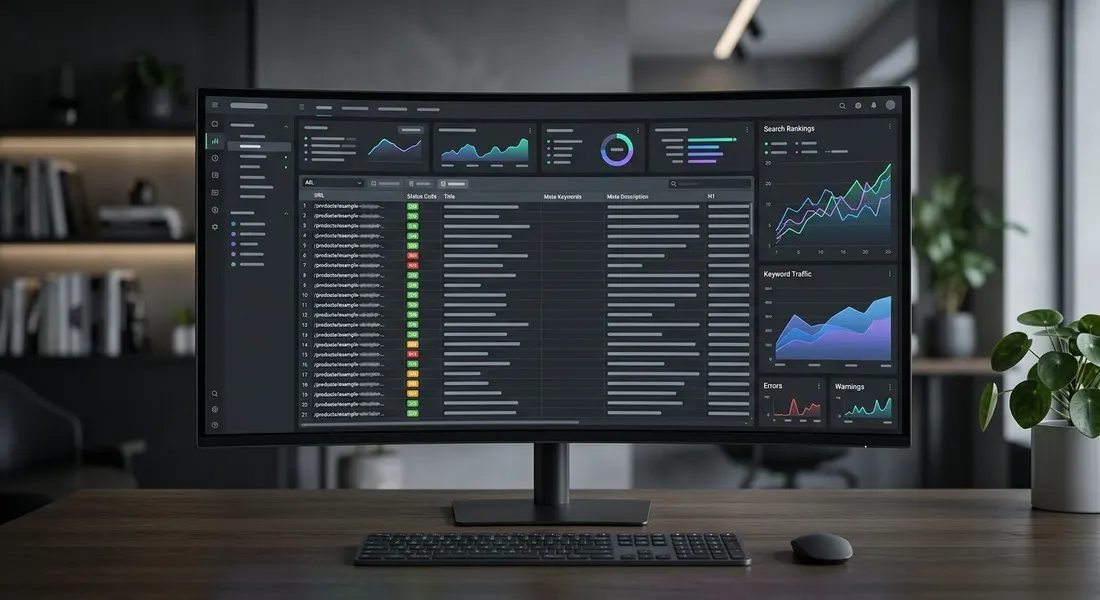
Screaming Frog works as a desktop crawler. The user enters a domain, subdomain, folder path or list of URLs, and the application starts requesting pages like a bot would, following internal links, checking server responses and extracting relevant HTML elements. During the crawl it captures titles, meta descriptions, H1 and H2 headings, canonicals, status codes, indexability directives, internal and external links, images, JavaScript-rendered content, structured data and many other fields. Unlike a browser extension or a lightweight audit widget, this approach scales and creates a usable working dataset.
From a technical standpoint, the software can crawl traditional HTML and also render JavaScript when the right mode is enabled. That matters because many modern websites load menus, links and important text after the initial HTML response. If you only inspect the raw source, your diagnosis may be incomplete. On JavaScript-heavy websites, this option can completely change how indexability and internal linking are interpreted.
The real workflow usually looks like this. First, the user decides the crawl scope: full domain, subfolder, list mode or sitemap-based discovery. Then they adjust settings such as crawl speed, user-agent, rendering, exclusions, memory usage and any custom extractions they may need. After the crawl runs, they move through specific tabs based on the objective: response codes for redirects and errors, page titles for missing or duplicate elements, canonicals for consistency checks, directives for noindex controls, images for oversized assets, and internal links for architecture review. The real value does not come from glancing at summary numbers but from isolating patterns and tying them back to templates, sections or URL groups.
Another key part of how it works is the ability to connect external data sources. Screaming Frog can enrich its own crawl data with Google Analytics, Google Search Console and performance sources such as PageSpeed. That allows teams to combine technical structure with clicks, impressions, sessions and other useful metrics. In practice, this is how prioritization becomes smarter. Fixing 300 low-value URLs is not the same as fixing 20 indexable pages that drive meaningful traffic or revenue. In our SEO and strategic intelligence work, this is where the crawler becomes more than a scanner and starts supporting decisions.
It is also worth understanding how the data is organized. Screaming Frog provides tables, filters, visual summaries and clean exports to CSV or Excel. On large projects, many audits do not end inside the application itself. We often export data, combine it with content inventories, business priorities, logs or architecture maps, and then define action plans from there. That is why we describe it as a serious SEO work tool rather than an automatic answer machine. The data quality is strong, but the interpretation still depends on the operator.
Main features of Screaming Frog
Technical crawling at URL level
The core strength of Screaming Frog is still its ability to crawl a website URL by URL and return a detailed technical snapshot of each page. It helps identify 200, 3XX, 4XX and 5XX status codes, redirect chains, loops, blocked pages, canonical mismatches and orphan-like behaviors when extra sources are used. On medium and large sites, this level of detail is what prevents teams from making assumptions without evidence.
At TeideSEO, we rely on it heavily for architecture reviews and migration validation. For example, when a website moves from one CMS to another or a retail site restructures its categories, a full crawl allows us to see whether internal linking still supports the right sections and whether redirects are being used efficiently. Many of those problems do not appear clearly in Google Search Console until damage is already done. Screaming Frog often shows them earlier.
On-page analysis and metadata control
Screaming Frog is also very effective for large-scale on-page analysis. It extracts titles, meta descriptions, headings, image alt attributes, field lengths, duplicates and missing elements across the whole site. That makes it especially useful when websites depend on templates or generate content in bulk. A single configuration issue can affect hundreds of pages, and this kind of pattern is much easier to detect through a crawl than by checking pages manually.
The important part is not just identifying missing titles or duplicate descriptions. The real value comes from segmenting those issues by template, directory or page type and understanding whether the root cause is editorial, technical or CMS-related. We have seen ecommerce sites where the real issue was not “SEO optimization” in a broad sense, but a template logic problem that cut titles after a product variable. Screaming Frog helps surface that kind of diagnosis quickly.
Internal linking and architecture review
Screaming Frog is very useful for understanding how crawl paths and internal authority move through a site. Its analysis of inlinks, outlinks and crawl depth helps identify buried pages, disconnected sections and content clusters that are not passing enough relevance between them. Internal linking is often underestimated because it is less visible than rankings or backlinks, yet it has a direct impact on crawl efficiency and organic performance.
On a large blog, for example, the tool can reveal important articles receiving very few contextual internal links and sitting several clicks away from the homepage. On an ecommerce site, it can highlight strategic categories that depend too heavily on faceted navigation, or product pages that are difficult for search engines to discover. When we build that analysis into a broader SEO and strategic intelligence process, we connect architecture to search intent and commercial value rather than treating it as a purely technical exercise.
Integration with Search Console, Analytics and external sources
One of the most underrated features in Screaming Frog is its ability to enrich crawl data with external metrics. Connecting Google Search Console or Google Analytics makes it possible to view impressions, clicks, CTR and sessions alongside the technical information collected during the crawl. That changes the prioritization process substantially. A technical issue on a page with no search demand is different from the same issue on a revenue-driving landing page.
This also helps uncover situations where Google is surfacing pages that the site architecture barely supports, or URLs with strong impression potential but weak metadata. It is not a business intelligence suite, but for experienced SEO teams it provides exactly enough data overlap to make practical decisions faster. Many positive Screaming Frog reviews come back to this point: it is useful because it helps people work, not because it tries to look like a boardroom dashboard.
Custom extraction and advanced validation
For more technical users, Screaming Frog allows custom extraction using XPath, CSS selectors, regex and advanced crawl rules. This opens the door to validating much more than standard SEO elements. Teams can check for the presence of legal modules, schema blocks, breadcrumbs, product IDs, CTA variations or template components across thousands of URLs without relying on manual sampling.
In practice, this feature answers highly specific project questions. For instance, which service pages display an FAQ block but do not include FAQ schema, which product pages are missing a key element, or which language versions have hreflang inconsistencies. On many other platforms, these checks require a separate scraper or custom scripts. Here they can be built into the same workflow, which is a major reason technical SEOs still rely on Screaming Frog.
Data export and operational usefulness
Screaming Frog is built for doing real work rather than delivering flashy demos. One of its strongest advantages is how easily it exports data into spreadsheets, QA documents and internal task systems. Users can export filtered lists of redirect chains, oversized images, internally linked non-indexable pages, metadata conflicts or broken URLs. For teams that work across SEO, content and development, this is extremely useful.
We often use it to turn technical findings into task-ready outputs by template, section, priority and owner. Detecting a problem is not enough if the result cannot be passed to the right people clearly. In that sense, Screaming Frog performs very well. It may not be the most beginner-friendly tool on the market, but it remains one of the most practical for real SEO operations.
Screaming Frog pricing 2026
Screaming Frog uses a simpler pricing model than many SEO SaaS platforms. There is a free version and a paid annual license per user. That has one clear benefit: the cost is predictable and not tied to a maze of credits, add-ons or module-based restrictions. The trade-off is that it does not try to position itself as a broad all-in-one platform. You are paying for a specialized crawler, not a layered digital marketing suite.
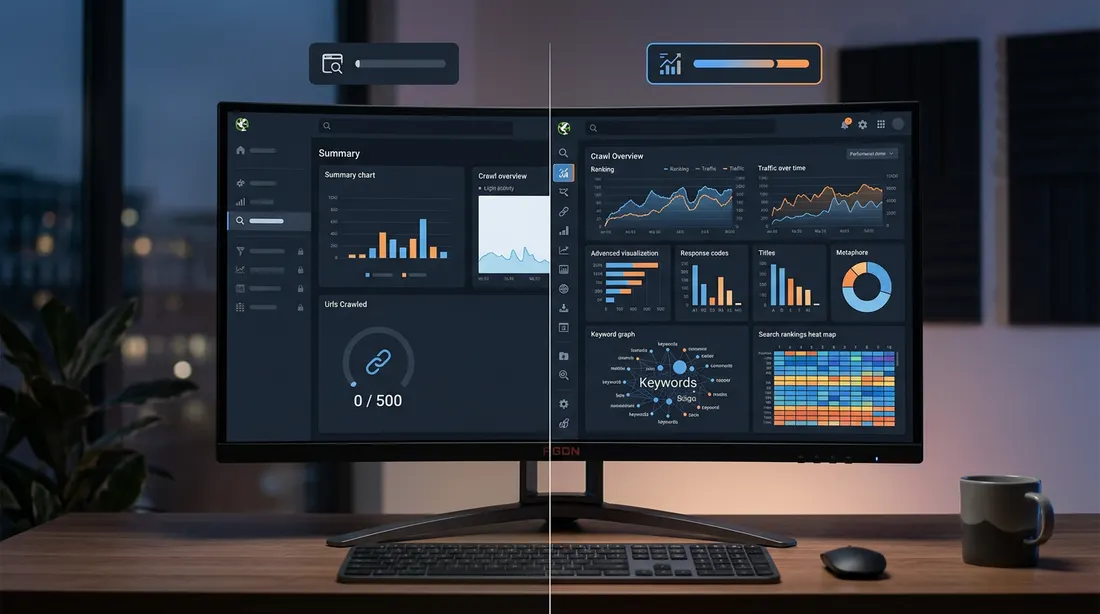
The free version is useful for learning, testing and auditing small websites. The 500-URL limit can be enough for a basic company website, a compact section review or an educational test run. Once the website grows or the work requires repeated crawling, integrations, project saving or advanced settings, the paid license becomes far more realistic. That is why when clients ask us about Screaming Frog free access, we usually say the same thing: it is a great trial path, but not a long-term professional setup for most teams.
| Plan | Price/month | Includes | Best for |
|---|---|---|---|
| Free | €0 | Crawl up to 500 URLs per project, core technical checks, essential on-page analysis and limited testing use. | Beginners, small websites and users who want to test the workflow before paying. |
| Paid license | Approx. £23.25/month (£279/year per user) | Unlimited crawling beyond the 500-URL cap, project saving, advanced configuration, integrations and continuous professional use. | SEO agencies, in-house teams, consultants and medium to large projects. |
Prices verified in June 2026. They may change.
The practical difference between the two plans is not only the number of URLs. In real work, the paid version turns the software into a proper operating environment. Being able to crawl complete sites, save projects, repeat advanced configurations and work without artificial caps is what matters in serious auditing. If you only review one small site occasionally, the free edition may be enough. If technical SEO is part of your weekly workflow, the paid license pays for itself quickly.
From our perspective, Screaming Frog pricing is competitive relative to the value it provides. It is not cheap in absolute terms if you compare it with browser plugins or one-off utilities, but it is cost-effective when measured against time saved and technical mistakes avoided. Where we would be honest is ease of adoption: you are not paying for hand-holding or a polished guided experience. You are paying for analytical depth. If that kind of work is not part of your process, another tool may be a better fit.
Pros and cons of Screaming Frog
- Real technical depth. Screaming Frog goes far beyond surface-level SEO scores. It provides URL-level evidence that is genuinely useful for audits, migrations, architecture reviews and technical QA. That depth is one of the main reasons experienced SEOs keep using it.
- Strong cost-to-value ratio. For agencies and consultants, the annual license can justify itself quickly. Finding one major redirect issue, indexability mistake or template-level metadata bug can save far more time and traffic than the software costs.
- Flexible configuration. The crawler can be adapted to many different use cases: JavaScript rendering, list mode checks, custom extraction, crawl exclusions and external data integration. That flexibility makes it relevant across a wide range of modern websites.
- Excellent for operational SEO work. It filters well, exports well and makes it easy to convert findings into actions. Teams that work with spreadsheets, dev tickets and recurring QA routines often find it more useful than tools that are visually polished but operationally weaker.
- Useful for one-off audits and recurring controls. It works well for pre-launch reviews, migration checks, quarterly health audits and ongoing technical monitoring. That makes it versatile inside active SEO workflows.
- Steep learning curve. We do not recommend Screaming Frog to users who want instant answers without understanding technical SEO. It produces a lot of data, and without the ability to interpret it, that volume can create confusion rather than clarity.
- Interface is not beginner-friendly. The UI is functional rather than welcoming. Compared with tools that explain issues in a more guided way, Screaming Frog expects the user to bring their own judgment and method. For stakeholders outside SEO, it is rarely the best reporting interface.
- It does not replace a full SEO suite. It is excellent for crawling and technical inspection, but it does not match broader tools for keyword research, competitive analysis, rank tracking or integrated reporting. In many workflows it needs to be paired with other software.
- Local machine dependence matters. Because it runs on desktop, performance depends on the hardware, available memory and crawl settings. On very large sites or poor setups, the process can become heavy or inefficient.
Alternatives to Screaming Frog
| Tool | Starting price | Best for | Our rating |
|---|---|---|---|
| Sitebulb | From around €18-20/month depending on billing | Users who want guided technical audits and easier visual interpretation | 8.2/10 |
| JetOctopus | From around €79/month | Large websites, cloud crawling and log analysis | 8.6/10 |
| Semrush | From around €139.95/month | Teams needing technical SEO, keyword research, competitor data and broader reporting in one suite | 8.7/10 |
| Ahrefs | From around €129/month | Backlink analysis, content strategy, competition research and integrated auditing | 8.8/10 |
| Lumar | Custom pricing | Enterprise organizations with advanced crawling and technical governance needs | 8.3/10 |
Sitebulb is probably the most intuitive alternative for users who value guided explanations and visual summaries. It often makes technical findings easier to interpret and communicate, especially for teams that are less comfortable with dense tabular outputs. Compared with Screaming Frog, it may feel less surgical in some workflows, but it is easier to adopt for many users.
JetOctopus is a strong option for larger websites and teams that prefer cloud-based operations. It becomes especially interesting when crawl data and server log analysis need to live together, or when site size makes desktop-based processes less convenient. It is not the obvious fit for every budget, but it is one of the more compelling Screaming Frog alternatives for large ecommerce sites, publishers and enterprise teams.
Semrush competes differently. It includes site auditing, but its biggest strength is its breadth: keyword research, competition analysis, content workflows, paid search data and accessible reporting. If your team needs a more general SEO and digital marketing environment, Semrush may deliver more overall value. If your priority is to dissect a website technically and in depth, Screaming Frog usually goes further.
Ahrefs also enters the conversation, especially for content-driven teams and link-focused strategies. Its site audit is useful and its broader data ecosystem is a major advantage for competitive analysis. Still, for internal architecture reviews, response code analysis, rendering validation and custom extraction, Screaming Frog remains more specialized. That is why we often view them as complementary rather than direct replacements.
Lumar is better suited to enterprise environments with more advanced governance, automation and technical oversight requirements. It is not something we would normally suggest as the first option for a freelancer or small company. In larger organizations where SEO is integrated into product and development processes, however, it can make more sense than a desktop crawler.
Who Screaming Frog is for and who it is NOT for
Screaming Frog fits some users extremely well and others very poorly. Saying that clearly is more useful than pretending it works for everyone. At TeideSEO, we recommend it when the user will genuinely work with technical SEO data and turn it into decisions. When that is not the case, it often gets purchased because of reputation and then underused.
Who it is for:
- SEO consultants, agencies and in-house teams that need detailed technical audits.
- Professionals working on migrations, redesigns, architecture and indexability control.
- Analysts who are comfortable exporting, segmenting and prioritizing data.
- Developers and product stakeholders with technical SEO responsibility.
Who it is NOT for:
- Businesses that only want basic metrics without interpreting technical tables.
- Users looking for a highly visual, fully guided recommendation engine.
- Marketing teams that need keyword, competitor and content tools more than crawl-level analysis.
- People without time to learn concepts such as canonicals, rendering, crawl efficiency or internal linking.
TeideSEO final opinion and rating

At TeideSEO, we have analyzed Screaming Frog for client projects and internal use. Our experience has been consistent: when the job requires understanding how a website is built and where technical SEO is losing efficiency, the tool performs very well. We do not recommend it for convenience, design or because it tries to do everything. We recommend it because, in technical auditing, it is still one of the fastest ways to turn a suspicion into a verified list of real problems.
We also think it gets overstretched in some cases. Small businesses sometimes buy Screaming Frog expecting a final SEO answer machine, and that is not what it is. If there is no internal ability to interpret the output or execute fixes, the tool adds limited value on its own. In those cases, we would rather start with a clearer strategic process or expert support that converts diagnosis into business priorities. That is where our SEO and strategic intelligence service is often more useful, because the objective is not just to crawl a site but to decide what should be fixed first and why.
If you work on technical SEO, migrations, ecommerce, publishing sites or content architecture, it is worth considering seriously. If you want an all-purpose suite or a smooth non-technical interface, it would not be our first pick. Our score: 8.4/10 — excellent technical depth and practical value, with points lost for learning curve, interface and reliance on real SEO knowledge.
Frequently asked questions about Screaming Frog
Is Screaming Frog worth it?
Yes, if technical SEO is part of your real workflow. It is worth it when you need to audit websites deeply, validate migrations, inspect architecture and identify specific URL-level issues. In those scenarios, the value is high because the tool saves time and exposes problems that are difficult to detect manually. If your needs are broader and more strategic, another tool may fit better.
At TeideSEO, we use it because it helps us verify patterns, inspect redirect logic, review canonicals and understand internal linking behavior with real data. We would not recommend it to someone who wants answers without learning how to interpret technical information. The software is powerful in the hands of the right user, not magical by default.
Does Screaming Frog have a free version?
Yes, Screaming Frog does have a free version. It allows crawling up to 500 URLs per project, which is enough for very small websites, test projects or learning the interface. It is a useful way to understand the workflow before paying for a license. For educational use or one-off checks, it can be enough.
The limitation appears quickly in professional use. Even a modest blog or small ecommerce site can exceed 500 URLs without much effort. Once you need larger crawls, repeated projects or more advanced use, the free version becomes restrictive. That is why we see it more as a trial path than a long-term setup for most SEO professionals.
How much does Screaming Frog cost?
Screaming Frog pricing in 2026 is relatively simple: a free version and a paid annual license. The paid license costs £279 per year per user, which works out to roughly £23.25 per month when spread across the year. There is no complex pricing ladder with many bundled modules. That makes it easier to evaluate against actual usage.
For agencies, consultants and in-house teams doing technical SEO regularly, we think the pricing is reasonable. One serious issue found through a crawl can save enough time or traffic to justify the cost quickly. If you will only use it a few times a year on a tiny website, it may not be a priority purchase. The real question is whether technical crawling is part of your routine, not whether the sticker price looks low or high in isolation.
Is Screaming Frog available in Spanish?
It is not best known for offering a fully localized Spanish experience. Much of the interface, terminology and documentation remains tied to English technical SEO vocabulary. For experienced SEO professionals, that is rarely a major obstacle because many industry concepts are used in English anyway. The bigger challenge is usually understanding the methodology rather than the language itself.
That said, if someone wants a fully Spanish, beginner-oriented product experience, Screaming Frog may feel less approachable than some other tools. Our view is practical: if you understand terms like crawl, render, canonical, noindex and response code, you can use it without major issues. If not, some training or expert support will make adoption much easier.
Screaming Frog vs Semrush: which is better?
There is no single answer because they serve different purposes. Screaming Frog is better for deep crawling, technical inspection and structural analysis of a website. Semrush is better for broader SEO and digital marketing work such as keyword research, competitor analysis, reporting and overall visibility tracking. If your question is about detailed technical diagnosis, we would choose Screaming Frog.
If your question is about wider marketing value across SEO workflows, Semrush often delivers more breadth. In many serious setups, both tools can coexist without overlap becoming a problem. One helps understand the market and prioritize opportunities, while the other verifies whether the site itself supports those opportunities technically.
Is Screaming Frog good for large ecommerce sites?
Yes, and that is one of the environments where it can be especially valuable when configured properly. Large ecommerce sites include products, categories, filters, pagination and repeated templates, which makes manual review unrealistic. Screaming Frog can uncover response issues, duplicate metadata, buried categories, weak internal linking and indexability conflicts across large URL sets. That scale is exactly why technical crawlers exist.
The practical warning is that crawl settings and hardware matter more as sites grow. Memory allocation, crawl speed, exclusions and scope control can make a major difference. On very large projects, it may also make sense to complement it with cloud tools or log analysis. But as a technical audit tool for ecommerce, it remains highly relevant.
Is there an easy Screaming Frog tutorial for beginners?
Yes, there are many tutorials and enough documentation to get started, but we would not frame it as a 30-minute mastery tool. The basics are straightforward: enter a site, start a crawl and review obvious issues. The hard part comes when you have to interpret the output, find root causes and prioritize actions. Many tutorials explain buttons, but not judgment.
If you are starting from scratch, the best path is practical and progressive. Begin with response codes, titles, descriptions, canonicals and internal links. Then move into rendering, custom extraction and integrations once the basics make sense. Screaming Frog is best learned on real websites with real questions rather than through abstract theory alone.
If you need more than a crawl and want to turn technical data into business priorities, we recommend working with a strategic SEO process. You can see how we approach it in our related TeideSEO service.